Transwap Business · Mass payouts
Pay your people.Across the world.
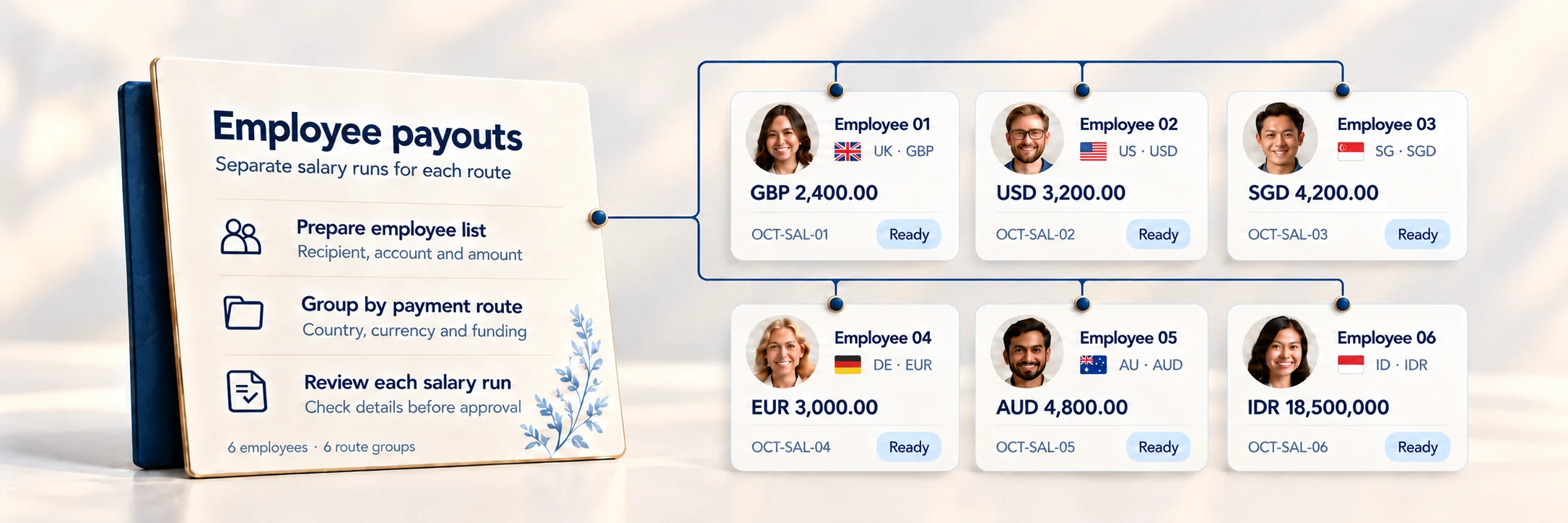
Pay salaries, consultant commissions and contractor fees through organised global payout runs.
- 1,000 maximum payments per file
- 180+ countries reached
- 46+ payout currencies
Availability depends on your account, serving entity and payment route.
For the people behind your business.
Bring recurring payment commitments into a clear, repeatable process.
-
Salaries across borders
Prepare payments for employees overseas, with a clear amount and reference for each person.
-
Consultant commissions
Pay consultants and independent partners against agreed commission records.


One file. A clearer payment run.
Bring your payment details together, check them and send for approval.
-
Prepare
Use the current XLSX (.xlsx) template for your route. Add recipient details, amounts and references.
-
Upload & check
Review every row. Correct any exceptions or leave those rows out before continuing.
-
Review & approve
Check totals, fees and funding. Apply your business’s required approvals before release.
-
Follow & reconcile
Keep the Batch ID and each payment reference to follow progress and reconcile your records.




Each file uses one destination country, currency, payment method and purpose, funded from one balance.
Global reach. Organised by payment route.
Group recipients into separate files for each destination country, currency, payment method and purpose.
Each file is funded from one balance. Plan around local cut-off times, holidays and payment checks.

- United Kingdom · GBP · Salaries A separate salary file
- Indonesia · IDR · Salaries A separate salary file
- Singapore · SGD · Commissions A separate commission file
Scale the run. Keep the oversight.
-
Separate preparation from approval
Give colleagues the access their role needs, with a separate reviewer where your policy requires it.
-
Review the batch as a whole
Apply your approval policy to the batch total before payments are released.
-
Check costs before release
Review fees, funding and FX where applicable. Make sure the selected balance can cover the run.
Every payment. A record to follow.
Track individual payments and keep the references your finance team needs.
-
Follow individual status
See which payments are processing and which are completed.
-
Keep payment references
Use payment references and the Batch ID in your internal records.
-
Reconcile the payout run
Match payment records to your finance systems and investigate exceptions.
Before your next payout run.
How many payments can I upload?
Up to 1,000 payments per XLSX (.xlsx) file. Start from the current generated template so the file contains the required fields for your payment route.
Can one file cover several countries or currencies?
Use a separate file for each destination country, currency, payment method and purpose. Every file is paid from one balance. You can prepare separate runs for employees and consultants in different markets.
When will recipients receive their money?
Timing depends on the destination, currency, payment method, funding, cut-off times and any required checks. Allow for weekends and public holidays. Approval or a Processing status does not confirm receipt.
What happens if a payment needs attention?
Review the reason, correct the row or leave it out before continuing. Nothing is charged during review. If a submitted batch is only partly completed, contact us with the Batch ID before retrying to avoid duplicate payments.
Make your next payout run simpler.
Tell us who you pay, where they are and how often.